Email
↔

Turn every inbox into a data pipeline, not a to-do list.
Supplier invoices land in Outlook, leads land in Gmail, order confirmations land in a shared IMAP mailbox, and someone still has to open each one, read it, and type the numbers into Odoo. zSYNC connects Microsoft 365/Outlook, Gmail/Google Workspace, and any IMAP/SMTP mailbox directly to Odoo, so incoming mail and attachments become records automatically. Odoo sends the other direction too: invoices, confirmations, and campaigns go out through the same channel, or through Mailchimp and SendGrid at volume. No forwarding rules, no manual re-typing, no lost attachments.
Trusted by 50+ Odoo companies · 500+ connected APIs · Official Odoo Partner
Versenden Sie bereits transaktionale oder Marketing-E-Mails über Mailchimp oder SendGrid? Dafür haben wir ein eigenes Setup. Für alles andere (Outlook und Microsoft 365, Gmail und Google Workspace, ein gemeinsames Support-Postfach oder ein einfaches IMAP/SMTP-Konto) gilt eine einfache Regel: Wenn es E-Mails senden oder empfangen kann, sind Sie hier richtig.
Sound familiar?
Every inbox is a manual data-entry queue in disguise.
Someone has to open every email.
Invoices, order confirmations, and leads sit in an inbox until a person reads them, decides what they are, and keys the details into Odoo by hand.
Attachments get lost, not filed.
A PDF invoice or a signed order form saved to a desktop is one folder reorganization away from disappearing, and Odoo never sees it.
One person's absence stalls the mailbox.
If the one colleague who checks the sales@ or invoices@ inbox is out sick or on holiday, everything downstream waits.
Related Pages
How it works
Three steps. All inside Odoo. No code.
1
Watch
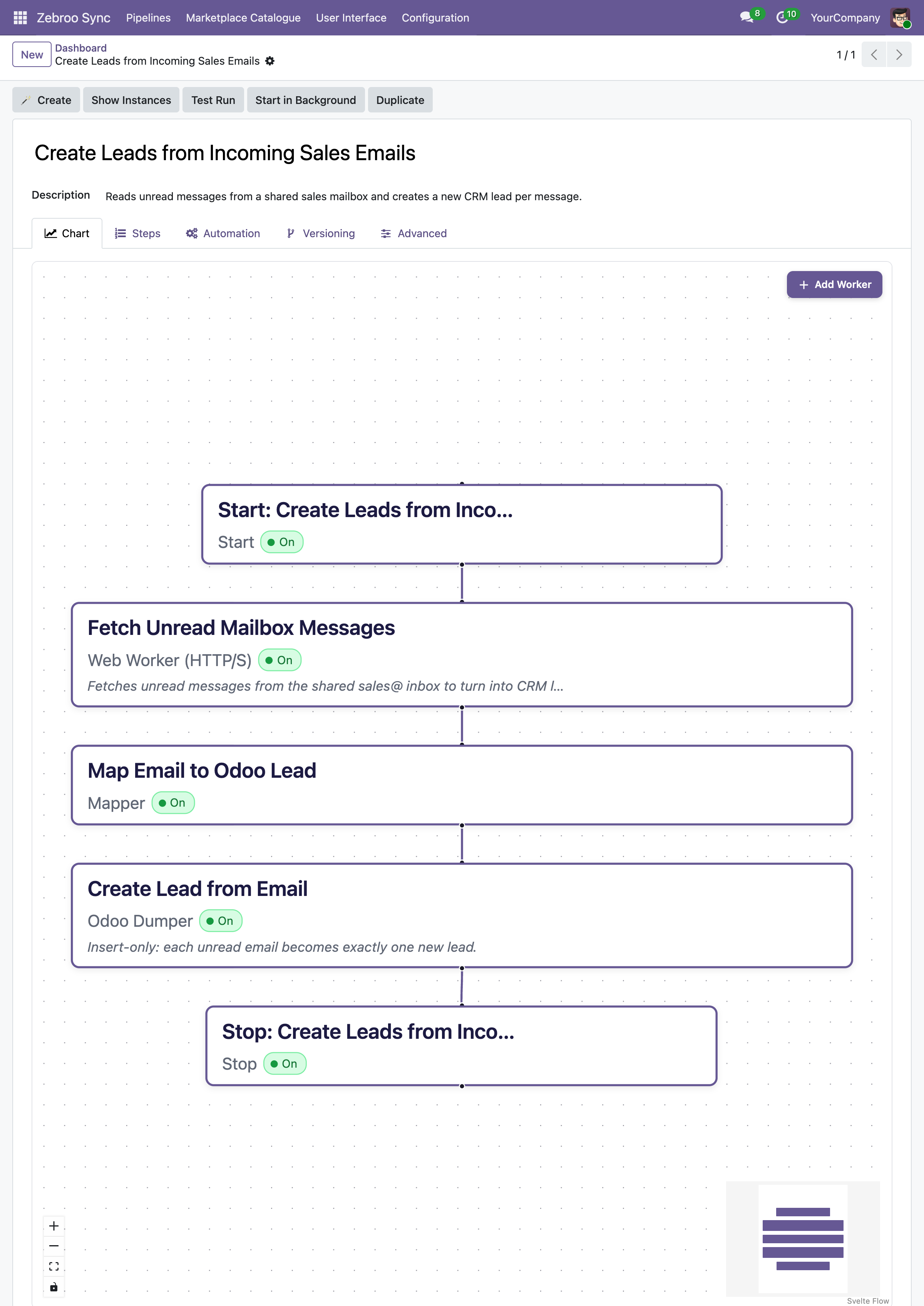
zSYNC monitors a mailbox (Outlook, Gmail, or any IMAP/SMTP account) for new messages matching rules you define, like sender, subject, or attachment type.
2
Extract
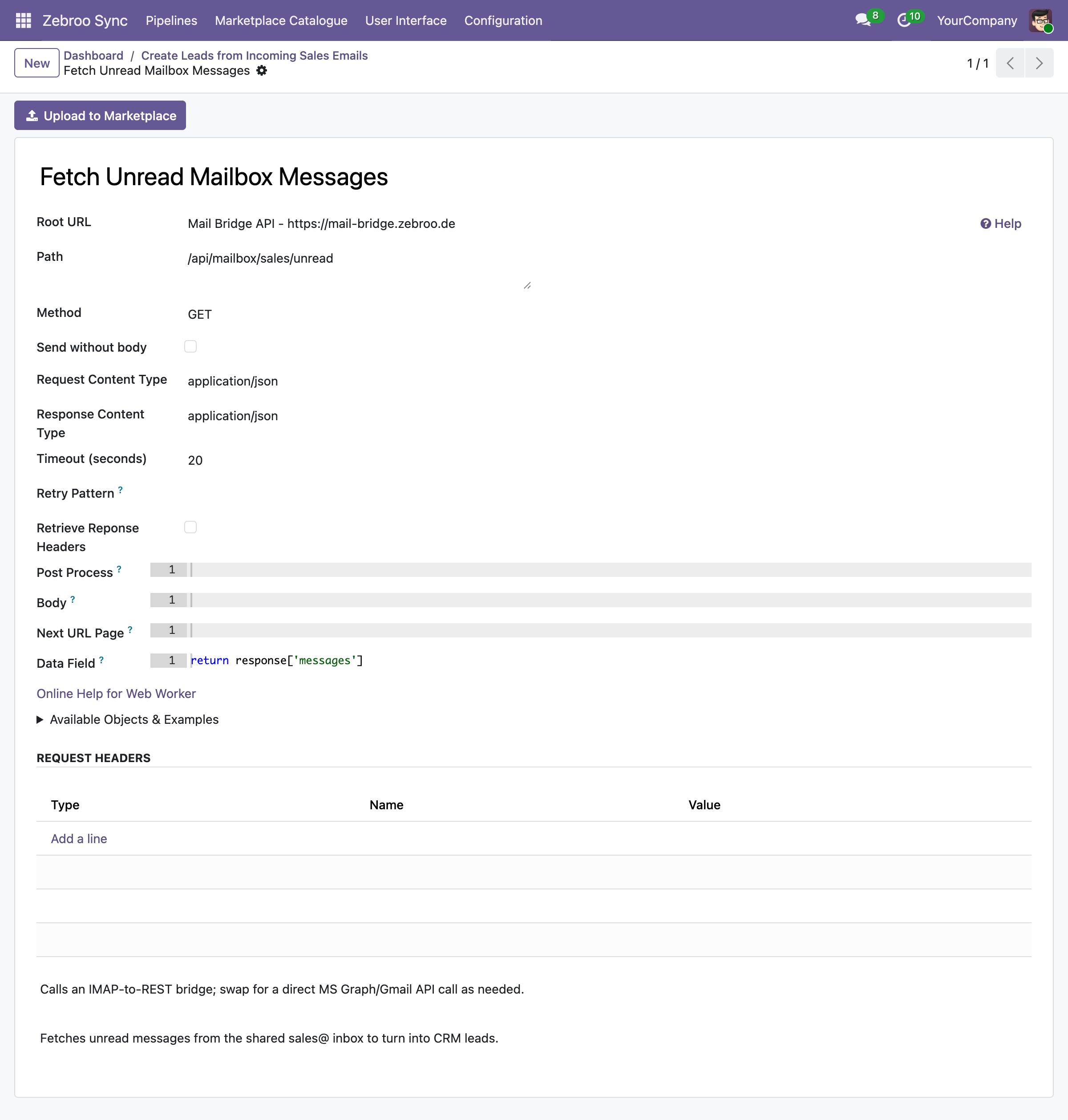
It reads the email body and pulls data out of attached PDFs, CSVs, or structured files, mapping fields straight to Odoo records in the visual flow tab.
3
Send
Odoo sends just as easily: invoices, confirmations, and reminders go out by SMTP, or through Mailchimp/SendGrid for newsletters and bulk campaigns, logged and tracked in Odoo.
Runs on a schedule or the moment mail arrives. No inbox babysitting.
What gets synced
What syncs between Email and Odoo
Incoming Documents
✓ Supplier invoices (PDF/attachment) →
✓ Order confirmations →
✓ Leads & inquiries →
✓ Signed forms & contracts →
Outgoing Communications
✓ Invoices & payment reminders →
✓ Order & shipping confirmations →
✓ Newsletters & campaigns (Mailchimp) →
✓ Transactional email (SendGrid) →
Authentication & Formats
✓ OAuth2 (Microsoft 365, Google Workspace)
✓ IMAP/SMTP with username & password
✓ API keys (Mailchimp, SendGrid)
✓ PDF, CSV, and structured attachments
Why teams switch to zSYNC
Measurable results, not just features.
3 → 1
Cut support costs
On one project, support effort dropped from three full-time staff to one person working 10% of their time. You own the integration, so you stop paying an agency for every adjustment.
5 Min.
Live in minutes, not weeks
A working Email integration is up in 5 minutes. A proof of concept in minutes, complex flows in hours, not the weeks a custom integration project usually takes.
0 Outages
Survives every Odoo upgrade
Your Email integration lives in the front end, not in custom code, so it keeps running after Odoo upgrades instead of blocking them.
No Bus Factor
No key-person risk
Any tech-savvy team member can build, own, and maintain integrations: no developer on call, no single point of failure.
Built on a proven framework
Official Odoo Partner · Trusted by 50+ companies




Hundreds
integrations built
50+
active customers
500+
connected APIs
99.9%
uptime
We handle everything. You focus on your business.
Professional setup by Zebroo, not self-service.
1
Install
We set up zSYNC in your Odoo and configure the Email connection.
2
Configure
We build your first Email pipeline, tailored to your mailboxes and document types.
3
Train
We hand it over so your team owns and extends it themselves.
Live in just 1–3 days.
Book a Free Demo
Pricing
One price per connection. Scale as you grow.
You pay per connection, not per user, not per record. Every plan includes the full feature set, self-hosted and GDPR-compliant.
✓Full feature set in every plan
✓No user limits
✓Always the latest version
✓Self-hosted · GDPR-compliant
The price we quote holds for the entire term of your contract.
FAQ
Frequently Asked Questions
Which Odoo versions does zSYNC support?
zSYNC runs inside your Odoo and supports the current Community and Enterprise versions. Because your integrations live in the front end (not in custom code), they keep running after Odoo upgrades instead of blocking them.
Is my data secure?
zSYNC is self-hosted in your own Odoo, so your data never leaves your environment. It's GDPR-compliant, and you control every connection, every credential, and every pipeline directly.
Can it read attachments, or just the email text?
Both. zSYNC reads the email body for structured or semi-structured content, and opens attachments (PDFs, CSVs, Excel files) to extract line items, totals, and reference numbers. Everything maps to Odoo fields the same way, whether it came from the subject line or page three of an invoice.
What happens if a sync fails? Is there downtime?
Failures don't bring down your system. zSYNC runs on queued jobs, so integrations don't block each other. Every run is monitored, so you can retry a failed run, even add a field, and reprocess the exact same data.
Own your inbox workflows: don't retype them.
Book a Free DemoNo commitment. 30-minute session. See it live.