Peppol⇄ Odoo
Odoo
OdooPeppol ↔ Odoo
Peppol ↔ Odoo: e-invoices that just arrive, and just get sent.
More public bodies and enterprises now require invoices over the Peppol network, not by email or PDF. zSYNC sends and receives your Odoo invoices through Peppol automatically, so compliance stops being a manual chore.
Trusted by 50+ Odoo companies · 500+ connected APIs · Official Odoo Partner
Sound familiar?
A customer asks for a Peppol invoice, and now what?
A PDF invoice by email doesn't count anymore.
More public-sector and enterprise customers only accept invoices delivered through the Peppol network itself.
Logging into a separate portal for every invoice doesn't scale.
Manually uploading each invoice to a Peppol access point website works for five invoices a month, not fifty.
Incoming Peppol invoices still need to land in your books.
Receiving an e-invoice is only half the job. Someone still has to turn it into a vendor bill in Odoo.


How It Works
Three steps. All inside Odoo. No code.
1
Grab
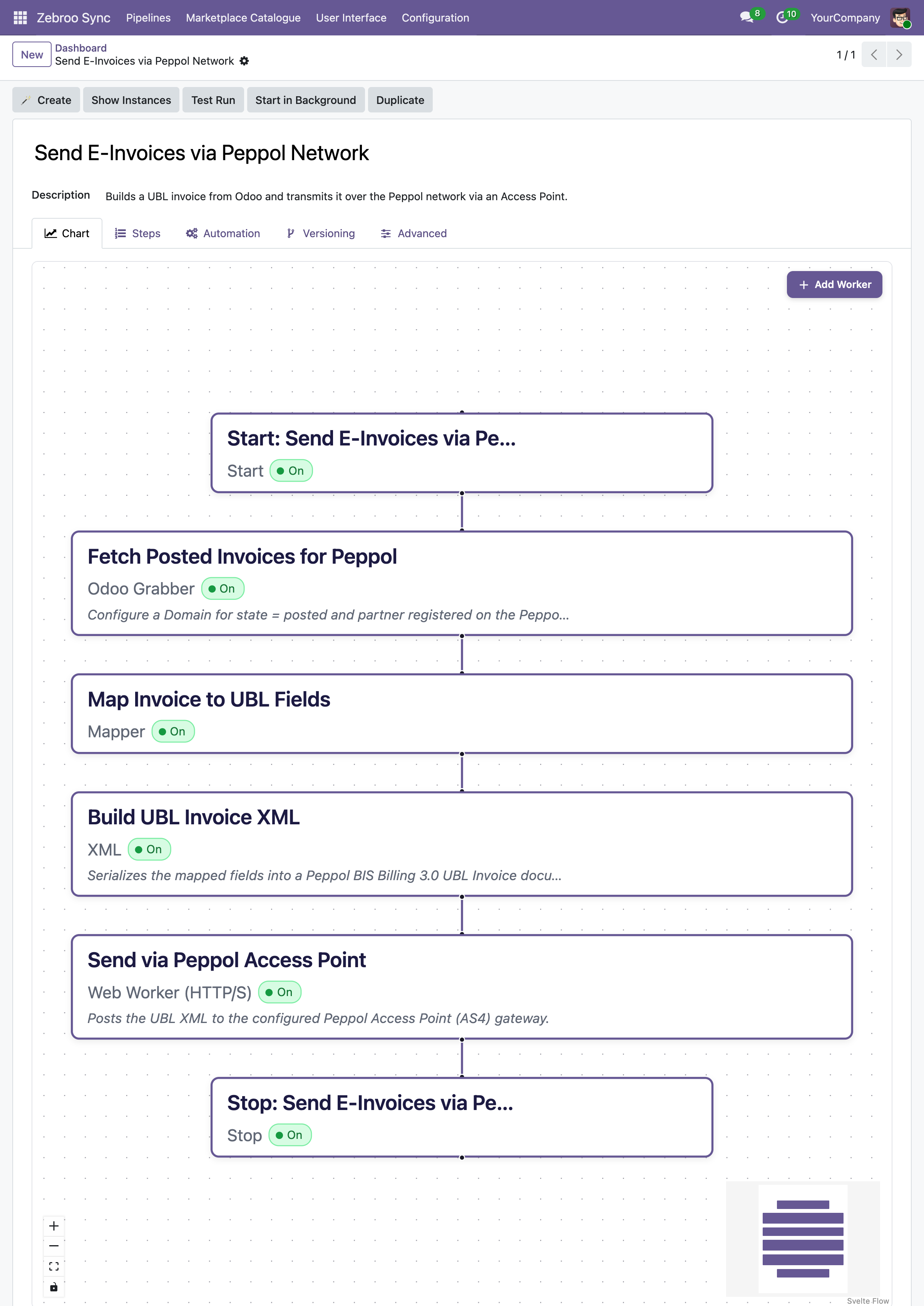
Picks up invoices ready to send from Odoo, and picks up incoming e-invoices delivered through the Peppol network.
2
Map
Converts each invoice to the Peppol BIS format on the way out, and to an Odoo vendor bill on the way in.
3
Dump
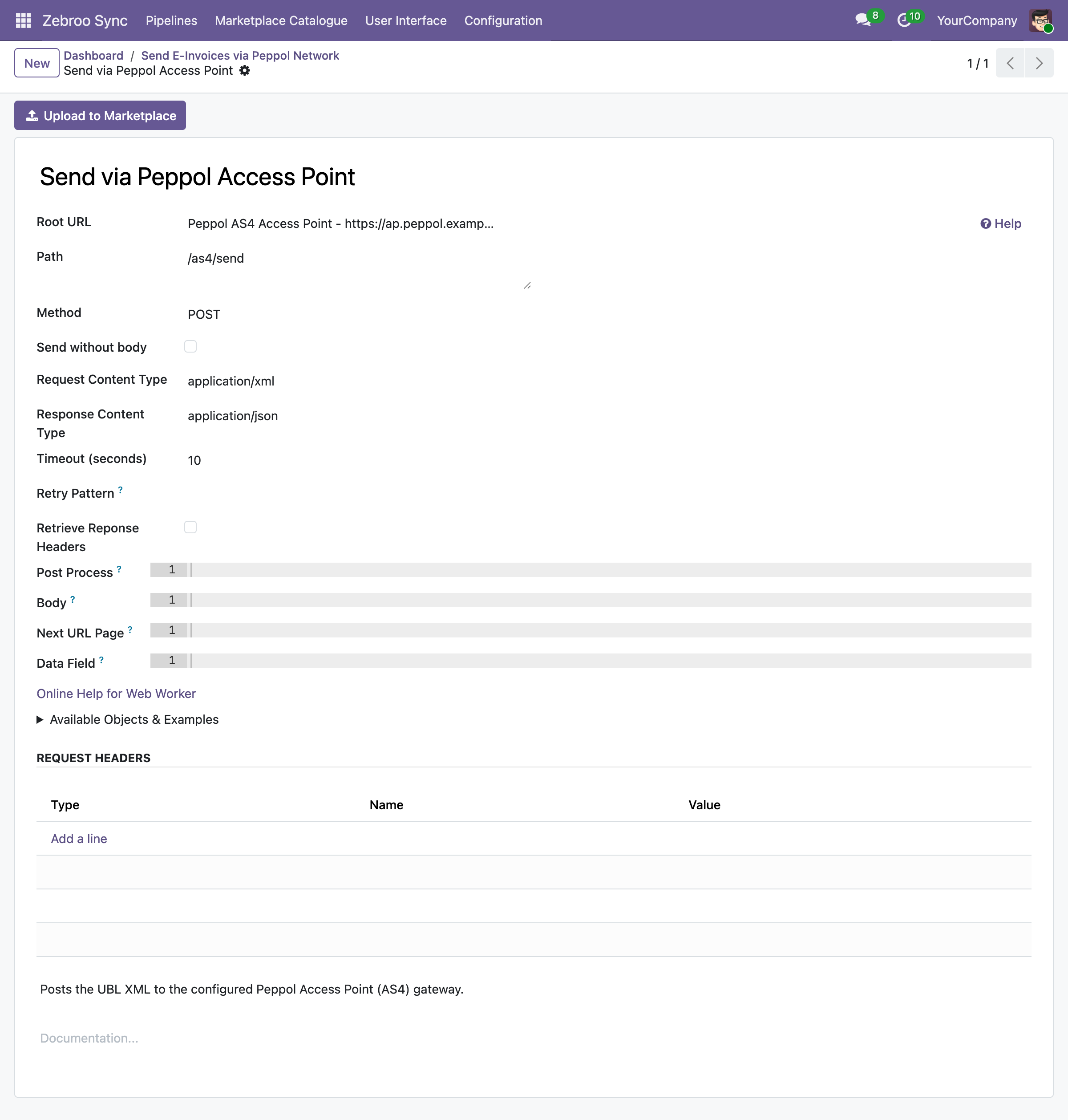
Sends outgoing invoices through your Peppol access point and books incoming ones straight into Odoo.
Runs automatically. No portal logins. No manual uploads.
What syncs
What syncs between Odoo and the Peppol network
Outgoing Invoices
✓ Peppol BIS conversion →
✓ Delivery confirmation →
Incoming Invoices
← Vendor bill creation ←
← Line-item matching ←
Compliance
✓ Format validation →
✓ Audit trail →
Selling to German public bodies? See the XRechnung / ZUGFeRD pipeline.
Why teams switch to zSYNC
Measurable results, not just features.
3 → 1
Cut support costs
On one project, support dropped from three full-time staff to one person working 10% of their time. You own the integration, so you stop paying an agency for every change.
No portal logins
Compliance without the busywork
Sending and receiving Peppol e-invoices happens straight from Odoo, no separate access-point portal to log into.
0 outages
Survives every Odoo upgrade
Your Peppol integration lives in the front end, not in custom code, so it keeps running after Odoo upgrades instead of blocking them.
No key-person risk
No key-person risk
Any tech-savvy team member can build, own, and maintain interfaces: no developer on call, no single point of failure.
Built on a proven framework
Official Odoo Partner · Trusted by 50+ companies






Hundreds
interfaces built
50+
active customers
500+
connected APIs
99.9%
uptime
We handle everything. You focus on your business.
Professional setup by Zebroo, not self-service.
1
Install
We set up zSYNC in your Odoo and connect it to your Peppol access point.
2
Configure
We build your outgoing and incoming Peppol invoice flows.
3
Train
We hand it over so your team owns and extends it themselves.
Live in just 1–3 days.
Book a Free Demo
Pricing
One price per connection. Scale as you grow.
You pay per connection, not per user, not per record. Every plan includes the full feature set, self-hosted and GDPR-compliant.
✓Full feature set in every plan
✓No user limits
✓Always the latest version
✓Self-hosted · GDPR-compliant
The price we quote holds for the entire term of your contract.
FAQ
Frequently Asked Questions
Which Odoo versions does zSYNC support?
zSYNC runs inside your Odoo and supports the current Community and Enterprise versions. Because your integrations live in the front end (not in custom code), they keep running after Odoo upgrades instead of blocking them.
Is my data secure?
zSYNC is self-hosted in your own Odoo, so your data never leaves your environment. It's GDPR-compliant, and you control every connection, every credential, and every pipeline directly.
Do I need my own Peppol access point?
You need a connection to a Peppol access point provider (we can help you set one up if you don't have one). zSYNC handles the conversion and delivery, so your invoices reach the network correctly formatted every time.
What happens if a sync fails? Is there downtime?
Failures don't bring down your system. zSYNC runs on queued jobs, so integrations don't block each other. Every run is monitored, so you can retry a failed run, even add a field, and reprocess the exact same data.
Own your Peppol connection: don't rent it
Book a Free DemoNo commitment. 30-minute session. See it live.